Summary
Recently I was working in my LAB/Non-Production VCF environment where I faced problem situation while removing AVN and Edge Cluster from VCF. There is no option in SDDC manager to remove AVN and NSX-T edge cluster from UI and API.
I found VMware KB article https://kb.vmware.com/s/article/78635 to remove Edge Cluster but this KB didn’t fulfilled my requirements as i had NSX-T Tier-1 & Segments created via external automation tool. Edge_cluster_cleanup script mentioned in KB delete only NSX objects created by SDDC manager.
I decided to remove AVN and NSX-T Edge clusters from SDDC database which will delete object entries from SDDC database only and related NSX-T objects needs to be deleted manually from NSX-T UI or API. We will login to SDDC manager UI and will access Postgres database to make changes on Tables.
SDDC Manager Database updates entries of AVN & NSX-T edge clusters in table avn & nsxt_edge_cluster and nsxt_edge_cluster_and_nsxt_cluster respectively. AVN use default edge cluster deployed in Management domain from SDDC manager. We will connect to SDDC platform database to edit those tables.
Pre-validation
In this section, We will go through existing AVN and NSX-T edge configuration .
Login to SDDC manager >> Workload domain >> select management domain (mgmt.-wld)

Figure 1 : Management Domain
Click on Summary TAB and validate AVN configuration. In our scenario, we have Region and x-region AVN with subnet 10.50.0.0/24 and 10.60.0.0/24 respectively.

Figure 2 : AVN configuration.
Now click on Edge cluster Tab and validate NSX-T edge cluster details. We have edge cluster mgmt.-edge-cluster with two node deployment.
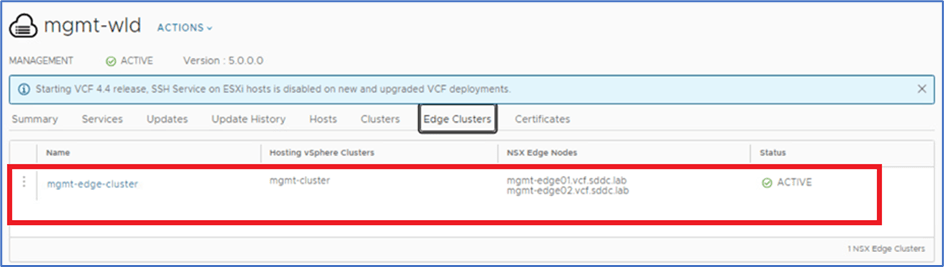
Figure 3 : Edge Cluster Configuration
Now we will validate AVN and NSX-T Edge cluster configuration at NSX-T manager.
Login to NSX-T Manager >> Networking >> Segments
Validate that 2 logical segments are created.

Figure 4 : NSX-T logical Segments.
Navigate to System>>Nodes>>Edge Cluster and validate that Edge cluster details as per SDDC manager configuration.

Figure 5 : Edge Cluster Configuration
Remove AVN & NSX-T edge cluster
In this section, we will remove AVN and Edge cluster from SDDC manager Database. Refer below high-level steps below.
- SSH to SDDC manager with root account & connect with database.
- Delete entry from AVN table.
- Delete entry from NSX-T edge cluster table.
SSH to SDDC manager via root and enter below command to connect with database.
# Psql -h localhost -u postgres

Figure 6 : Connect to Database
Enter command \l to list all databases in SDDC manager.
AVN and Edge cluster tables resides in platform database.
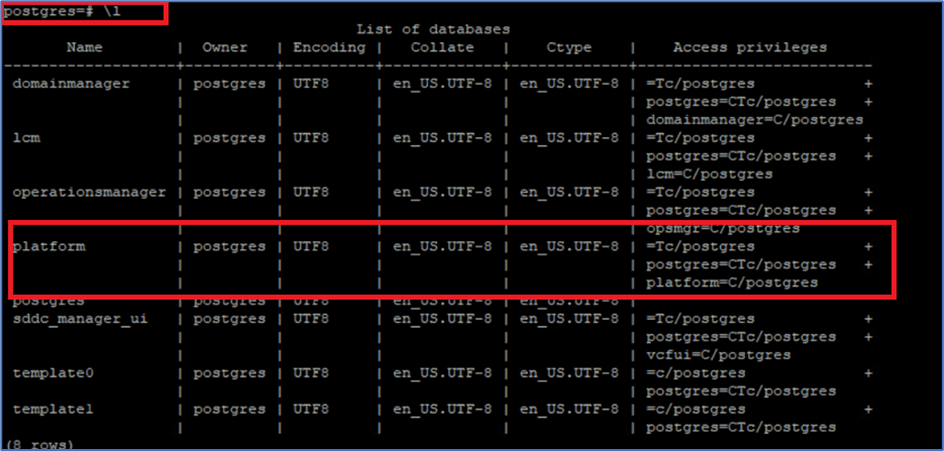
Figure 7: Database information.
Connect with Platform database with command \c Platform

Figure 8: Connect Database
Note: Notification will be popup that you have been connected to database.
Enter \dt command to list all tables inside platform database.

Figure 9 : List all Tables
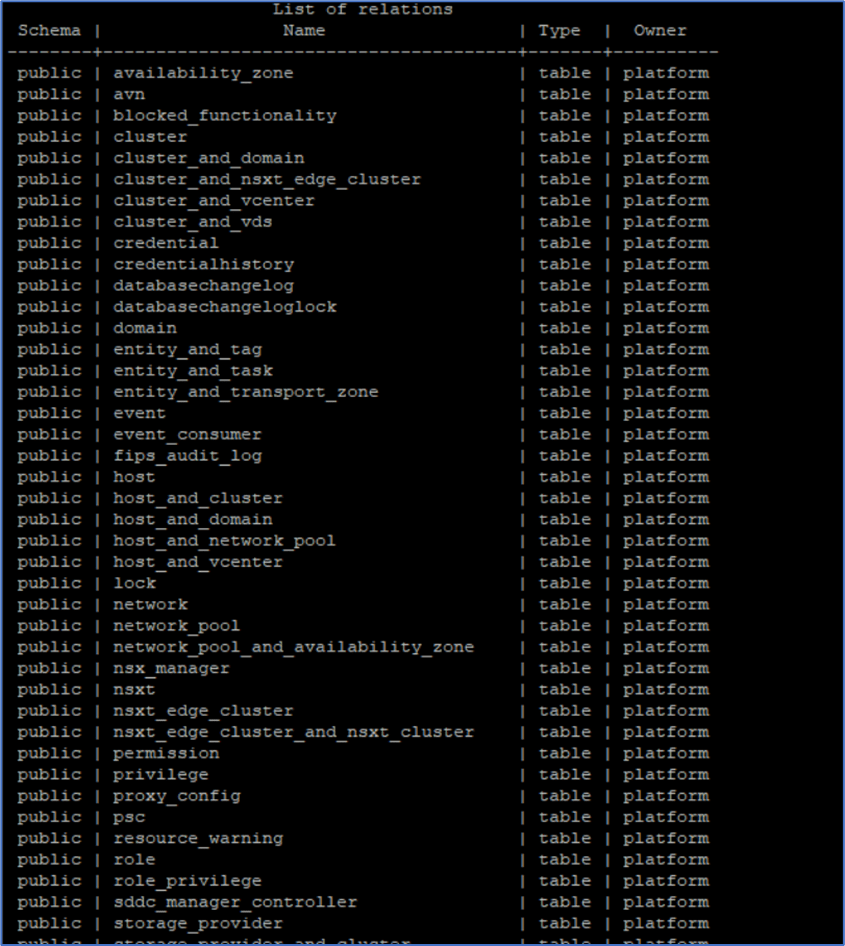
Figure 10 : Table inside Platform Database
Validate data inside avn table with command. Verify AVN details of UI with table output.
SELECT * FROM avn;

Figure 11 : AVN table output
Now Delete AVN entries from table with DELETE command. This will not delete any configuration from NSX-T.
DELETE from avn;
Again, run SELECT command to validate that entries have been removed.
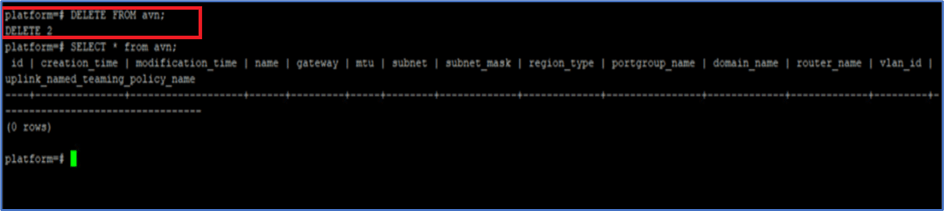
Figure 12 : Remove AVN
Now login to SDDC manager UI and validate that AVN configuration is not reflecting in management domain.
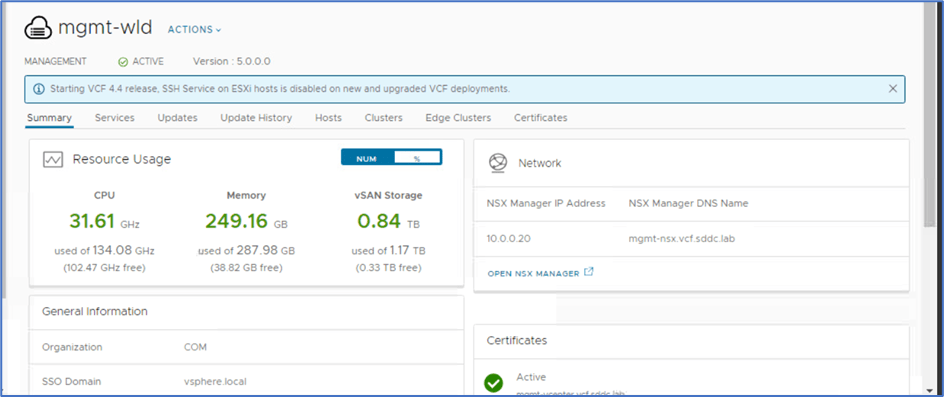
Figure 13 : Management domain.
Now SDDC manager will enable option to ADD AVN.
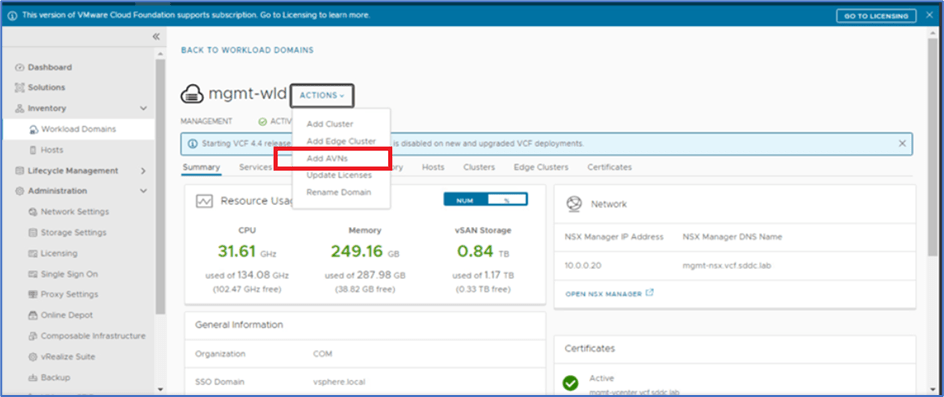
Figure 14 : ADD AVN
Remove Edge Cluster
SSH to SDDC manager with root and connect to platform database. Validate nsxt_edge_cluster and nsx-edge_cluster_nsxt_cluster table information.
SELECT * FROM nsxt_edge_cluster;
SELECT * FROM nsx-edge_cluster_nsxt_cluster;
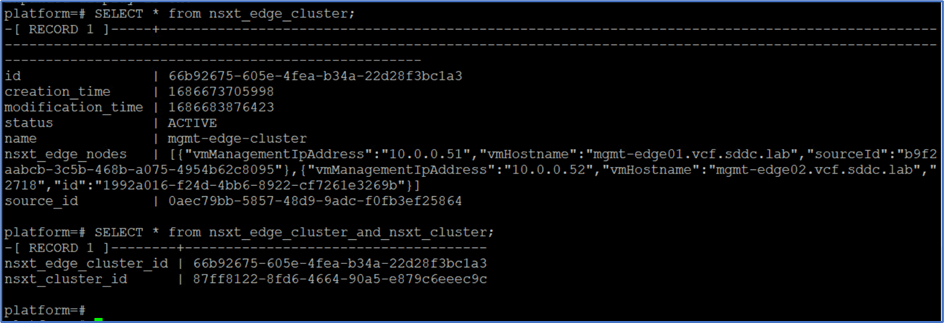
Figure 15: NSX Edge cluster
Now Delete table entries from both table with below commands
DELETE FROM nsxt_edge_cluster;
DELETE FROM nsx-edge_cluster_nsxt_cluster;
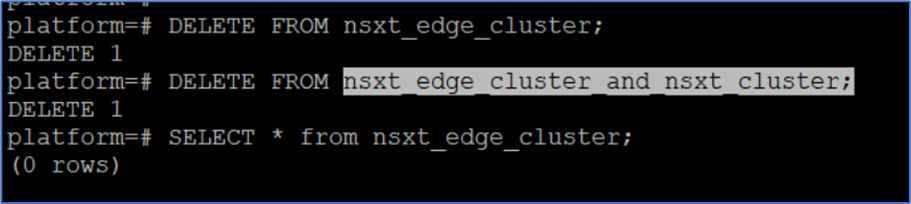
Figure 16: Delete EDGE cluster table entries
Validate those entries has been removed from the tables.

Figure 17 : Validate Table entries.
Validate that NSX-T Edge cluster has been removed from SDDC manager UI.
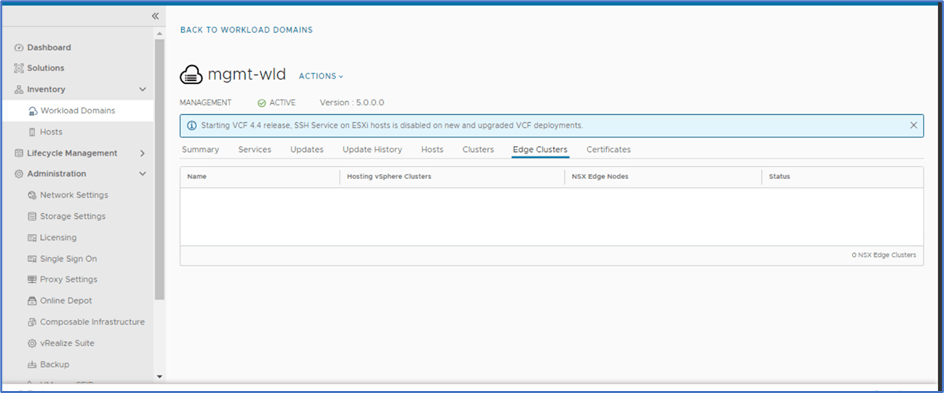
Figure 18 : EDGE cluster details.
Now you deploy new Edge cluster and AVN on existing infrastructure.
Note : You have to delete manually NSX-T Edge cluster & Segment from NSX-T manager before reusing same subnet .

 Welcome to Bytestuffs.com
Leave a comment